Automatic dark and light mode for the terminal
Sometimes I need a refresher for my eyes, not always using a dark screen with light text. This can easily become tiring, specially when reading long texts like books or when the environment is also bright.
I noticed this after switching my smartphone from dark to light mode, something I normally set to dark as soon as I get any device. It was relieving, and the text became clearly more readable. The same happened later when I tried different light themes for Neovim and Wezterm.
Ended up changing my configuration to let both applications identify the mode the system is using, and apply themes accordingly.
The theme I chose was Kanagawa1, specifically dragon and lotus variants. I like having muted colors, otherwise I find them too distracting. I’ve even thought about switching to other monochrome options, but so far this has been great. The biggest change I made was lotus’s background, since I’m not a fan of yellow background since I stopped using Solarized themes.
Wezterm
For Wezterm, it’s already documented how to have different themes based on the system’s mode enabled2. The only thing left was adding both dark and light colors, and setting them up.
local dark_theme = wezterm.color.get_builtin_schemes()['Kanagawa Dragon (Gogh)']
dark_theme.foreground = "#f0f0f0"
dark_theme.background = "#111111"

local light_theme = {
    background = "#EEEEEE",
    foreground = "#222222",

    cursor_bg = "#c8c093",
    cursor_fg = "#c8c093",
    cursor_border = "#c8c093",

    selection_fg = "#c8c093",
    selection_bg = "#2d4f67",

    scrollbar_thumb = "#16161d",
    split = "#16161d",

    ansi = { "#c8c093", "#c34043", "#76946a", "#c0a36e", "#7e9cd8", "#957fb8", "#6a9589", "#090618" },
    brights = { "#dcd7ba", "#e82424", "#98bb6c", "#e6c384", "#7fb4ca", "#938aa9", "#7aa89f", "#727169" },
    indexed = { [16] = "#ffa066", [17] = "#ff5d62" },
}

config.color_schemes = {
    ['Kanagawa Dark'] = dark_theme,
    ['Kanagawa Light'] = light_theme,
}

function get_appearance()
  if wezterm.gui then
    return wezterm.gui.get_appearance()
  end
  return 'Dark'
end

function scheme_for_appearance(appearance)
  if appearance:find 'Dark' then
    return 'Kanagawa Dark'
  else
    return 'Kanagawa Light'
  end
end

config.color_scheme = scheme_for_appearance(get_appearance())
Neovim
The solution here was pretty much two plugins, one for switching the theme3, and the theme itself. Good thing the theme plugins allows overriding the colors directly; I still need to override more but I don’t think I’ll use light mode that often. Below is the configuration using Lazy.
    {
        "f-person/auto-dark-mode.nvim",
        opts = {
                update_interval = 1000,
                set_dark_mode = function()
                vim.cmd("colorscheme kanagawa-dragon")
                end,
                set_light_mode = function()
                vim.cmd("colorscheme kanagawa-lotus")
                end,
        },
    },
    {
        "rebelot/kanagawa.nvim",
        opts = {
            colors = {
                palette = {
                    lotusInk1 = "#222222",
                    lotusWhite3 = "#EEEEEE"
                },
                theme = {
                    all = {
                        ui = {
                            bg_gutter = "none"
                        }
                    }
                }
            }
        }
    }
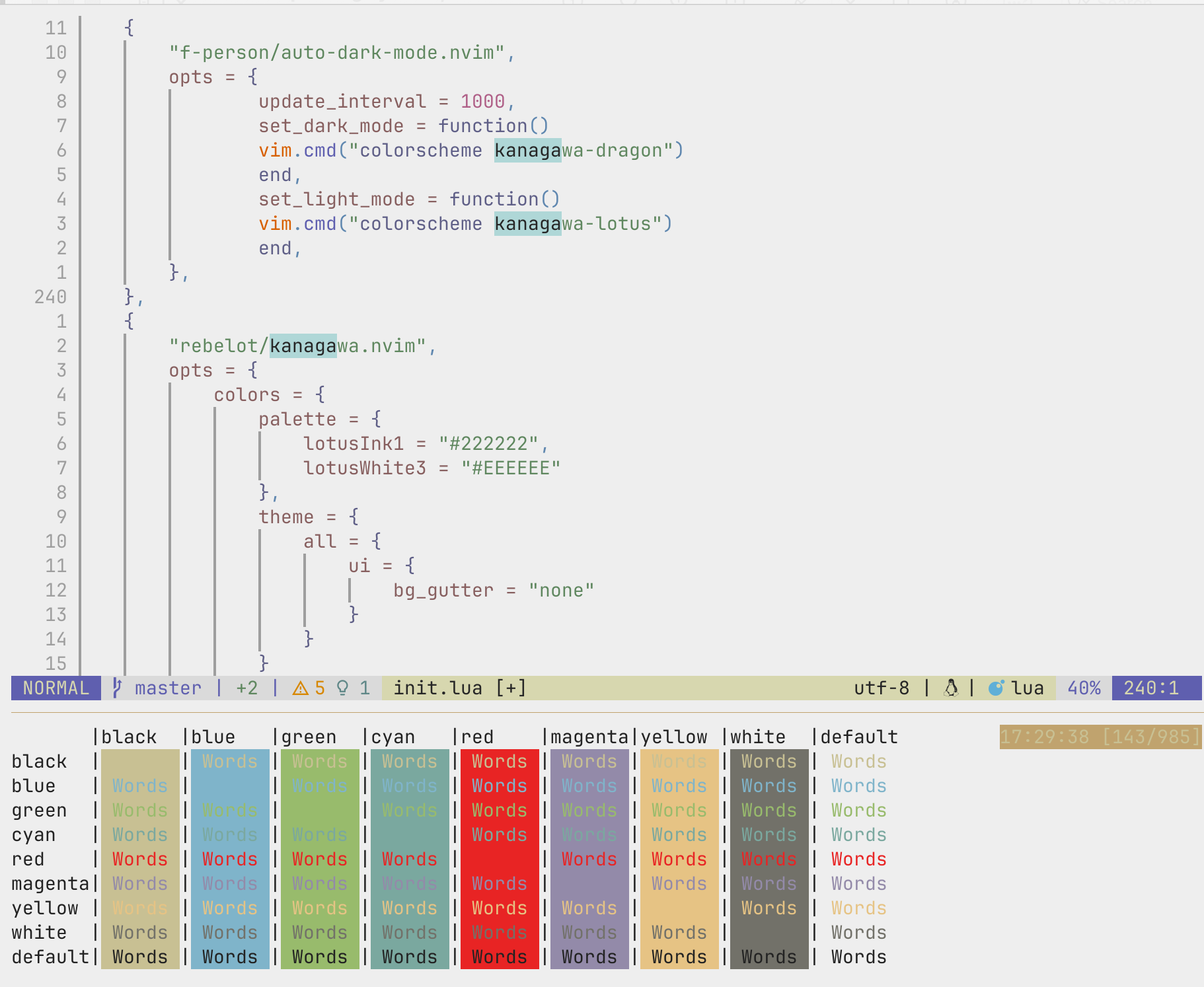
Result
Dark Mode
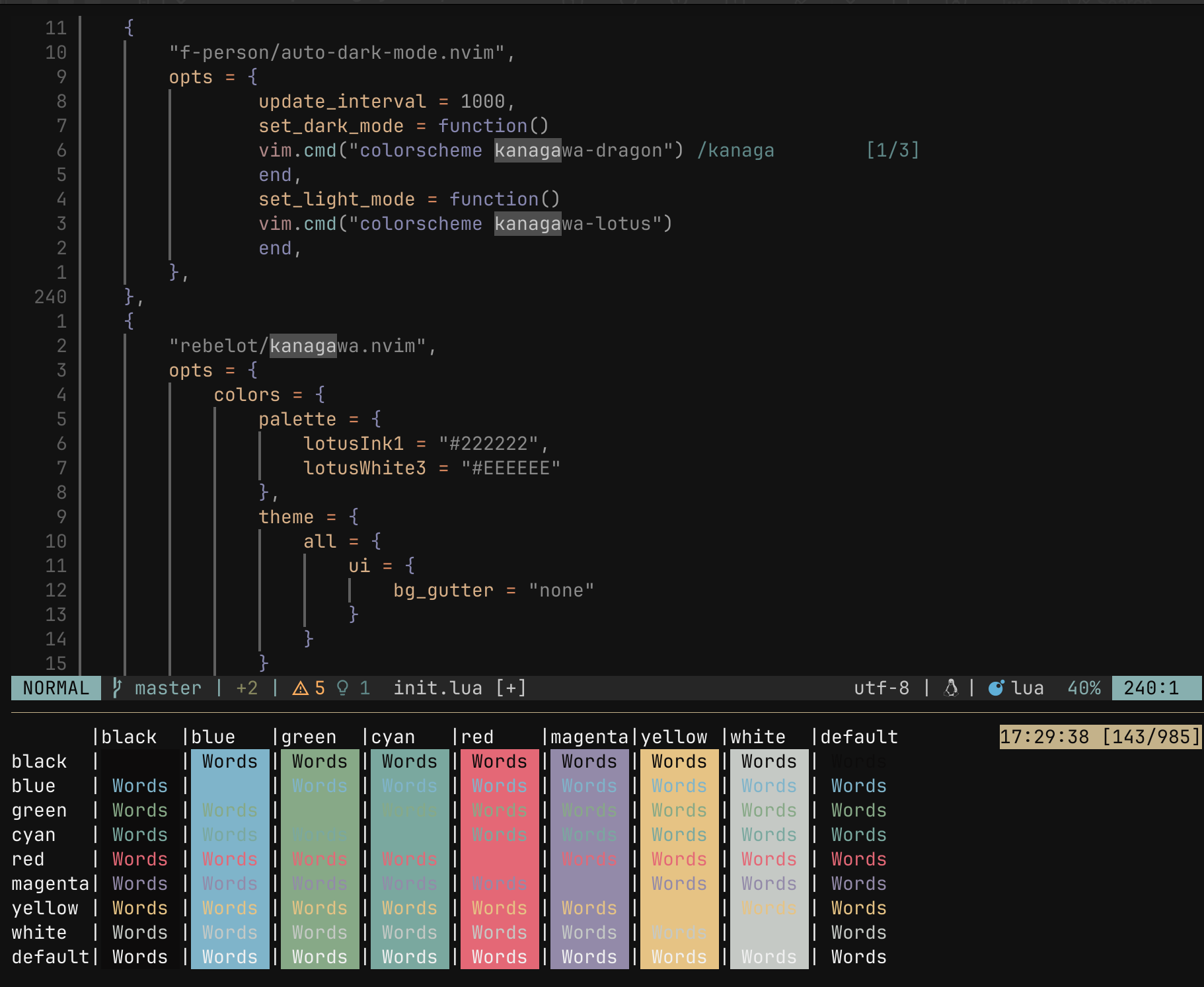
Light Mode